 Tao Xu
What You'll Need (Quick Links)
I've lost count how many times I've seen a tourist stranded—no cash, no data, and a dead phone. China runs on apps, and if you don't have the right ones, you'll be stuck. Let me save you the headache.
Three years guiding trips taught me this: the apps you download before you land are the difference between a smooth trip and a chaotic one. Here's the shortlist, built from real fails and wins.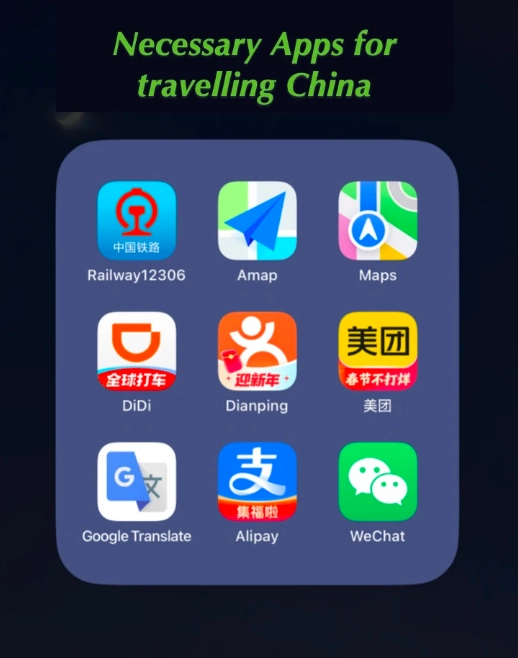
Payment Apps: Forget Cash, Use These
Alipay and WeChat Pay: Non-Negotiable
Walk into any convenience store, street stall, or museum ticket counter—they'll stare at your cash like it's Monopoly money. China is nearly cashless. You need both Alipay and WeChat Pay because some merchants take only one.
Also, Alipay's Tour Pass (a pre-paid service) is a fallback if your foreign card fails. But honestly, once it works, you're golden—scan a QR code, done.
Always Carry a Little Cash
Yes, I just said cashless. But for emergencies—a broken phone, a village market—cash still talks. Bring RMB (Chinese Yuan) in small bills. Don't bother with coins; they're rare and heavy.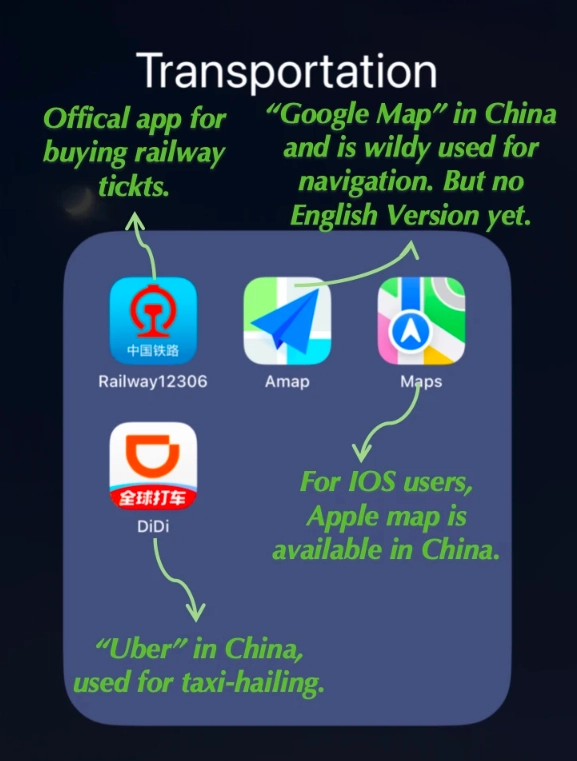
VPN: The First Thing You Install
You land, turn on your phone—and Google, Instagram, WhatsApp, Facebook are all dead. China's Great Firewall blocks them. A VPN is mandatory.
Install your VPN before you fly. Set it up, test it at home. Here's the catch: many free VPNs don't work in China. The government actively blocks them. I recommend paid services like ExpressVPN or NordVPN—they update their servers frequently.
Navigation Apps: Google Maps Won't Cut It
Google Maps is inaccurate in China—the street names are often wrong, and public transport routes are outdated. Download these instead:
| App | Why Use It | English? |
|---|---|---|
| Apple Maps | Works well for driving and walking, integrates with local data | Yes |
| Didi (China's Uber) | For ride-hailing; has English interface, links to Alipay | Yes |
| 高德地图 (Amap) | Best for detailed transit; but Chinese-only | No |
I always use Apple Maps as my primary. Type the place name in English, and it'll give you directions. Didi is a lifesaver—no need to flag taxis. Just input your destination (use the Chinese address if you can), and pay automatically via Alipay.
Key tip: Save a screenshot of your hotel name in Chinese characters. Show it to taxi drivers if Didi fails. Works every time.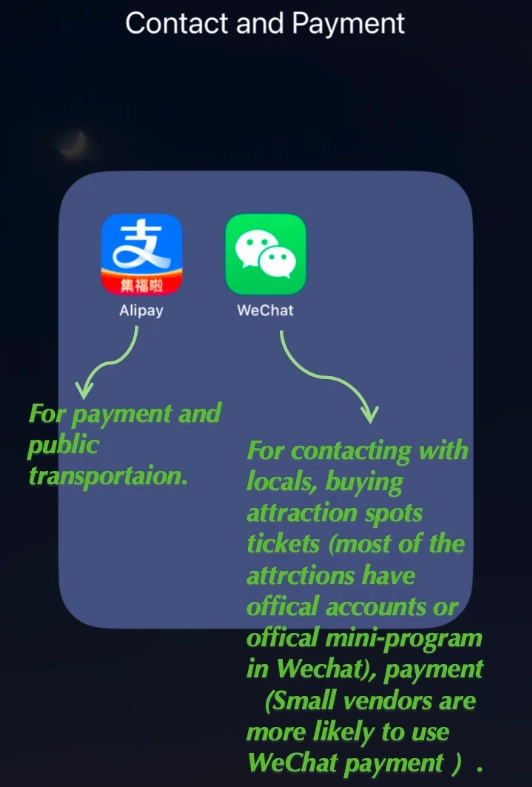
Translation Apps: Break the Language Barrier
English is not widely spoken outside major cities. You'll need help reading menus, signs, and communicating. These are my tested tools:
- Google Translate (offline mode): Download Chinese language pack while you have internet. The camera translation feature works offline—point at a menu, see English. It's magic.
- Baidu Translate: Better for voice recognition, especially for Chinese dialects. Free and fast.
- Pleco: For serious learners—it's a Chinese-English dictionary with handwriting recognition.
I always tell clients: when you order food, open Baidu Translate, speak or type 'I'm vegetarian, no meat,' and show the phone. Saves you from accidentally eating chicken feet (true story).
Travel Booking Apps: Skip the Queues
Many attractions require advance booking with passport numbers. Trying to navigate Chinese-only mini-programs is a nightmare. Use these English-friendly platforms:
| App | Best For | Payment |
|---|---|---|
| Trip.com (formerly Ctrip) | Train tickets, flights, hotel bookings, attraction tickets | International cards, PayPal |
| Klook | Attraction tickets, day tours, SIM cards | International cards |
| 12306 (official train) via Trip.com | High-speed train tickets; let Trip.com handle it | Via agent |
Train tickets? Use Trip.com. It adds a small fee but saves you the headache of Chinese ID verification. For sim cards, Klook delivers to your hotel or airport pickup.
One more thing: Download the app DiDi (mentioned above) and link it to Alipay. No need to talk to the driver—just share your route. Life-changing.
Frequently Asked Questions
Verified and fact-checked by the editorial team. This content has been fact-checked to ensure informational precision.








No comments yet.