 Bo Wu
Bo Wu
What You'll Learn
You step off the plane in Beijing. No SIM card. No Wi-Fi. Your bank app is dead. WeChat won't open. That sinking feeling — I've seen it on dozens of travelers' faces. Most assume they can pick up a local SIM at the airport. But China's registration rules have tightened. Foreigners now face long queues, passport photocopies, and biometric scans. That's where Airalo eSIM China comes in.
Here is the catch: you need to install the eSIM before you land. Do it while you still have Wi-Fi at your layover or at home. Once you're inside China, accessing Airalo's website or app to buy and install becomes a headache because Google and many international sites are blocked. So plan ahead.
I've been guiding tours across China for eight years, and I've tested Airalo on every trip since 2022. In this no-fluff guide, I'll share exactly how it works, what plans are worth it, and the annoying pitfalls you'll face. No sugarcoating.
How Does Airalo eSIM China Work?
Airalo is a digital SIM platform. You buy a data package, receive a QR code via email, and scan it with your phone to install the eSIM profile. No physical card needed. Your phone then connects to Chinese mobile networks — usually China Mobile or China Unicom — depending on the plan.
The eSIM works alongside your physical SIM (or another eSIM) so you can keep your home number active for calls and texts while using Airalo for data. But here's a reality: Airalo only provides data in China, not a local phone number. That means you won't be able to register for WeChat, DiDi, or many Chinese apps that require SMS verification. I always tell my clients to set up WeChat and Alipay before arriving, using their home number.
Airalo eSIM China Plans and Pricing
| Plan Name | Data | Validity | Price (USD) |
|---|---|---|---|
| China eSIM 1 GB | 1 GB | 7 days | $4.50 |
| China eSIM 3 GB | 3 GB | 15 days | $10.00 |
| China eSIM 5 GB | 5 GB | 30 days | $15.00 |
| China eSIM 10 GB | 10 GB | 30 days | $25.00 |
Prices fluctuate — check Airalo's app or website for current rates. I usually recommend the 3 GB plan for a 10-day trip if you're mostly using maps, messaging, and social media. If you plan to stream video or use video calls, go for 5 GB or more. But remember, many hotel Wi-Fi networks are decent, so you can offload heavy usage there.
How to Activate Airalo eSIM for China (Step-by-Step)
I can't stress this enough: activate before you enter China. Here's the exact process:
- Before your trip: Download the Airalo app on your home Wi-Fi. Create an account. No need for Chinese credentials yet.
- Purchase the plan: In the app, select China eSIM. Choose your data package and pay with PayPal, credit card, or Apple Pay. Your eSIM will be available for installation immediately.
- Install the eSIM: Open the app, go to My eSIMs, tap Install. Your phone will prompt you to add a mobile plan. Follow the on-screen steps. Installation takes about 2 minutes.
- Label the eSIM: Name it "China Data" so you don't confuse it with your home SIM.
- Set data roaming ON: In your phone settings, enable data roaming for this specific eSIM. This is crucial—many people forget and think the eSIM doesn't work.
- Upon landing: Turn off your home SIM's data (or set this eSIM as the primary for data). You should see 4G/LTE within a minute. If not, toggle airplane mode or restart your phone.

Does Airalo eSIM Work with China's Great Firewall?
Yes — but with a catch. Airalo routes your internet through a Hong Kong server, which means websites like Google, Gmail, WhatsApp, Instagram, Facebook, and YouTube will work normally. You don't need a separate VPN. This is the main reason travelers choose Airalo over a local SIM (which blocks those sites unless you add a VPN).
However, you may notice slower speeds during peak hours because your traffic is going through a proxy. For basic browsing and messaging, it's fine. Streaming HD video can be choppy. I personally use Airalo for quick searches and WeChat, and rely on hotel Wi-Fi (plus a VPN) for heavy downloads.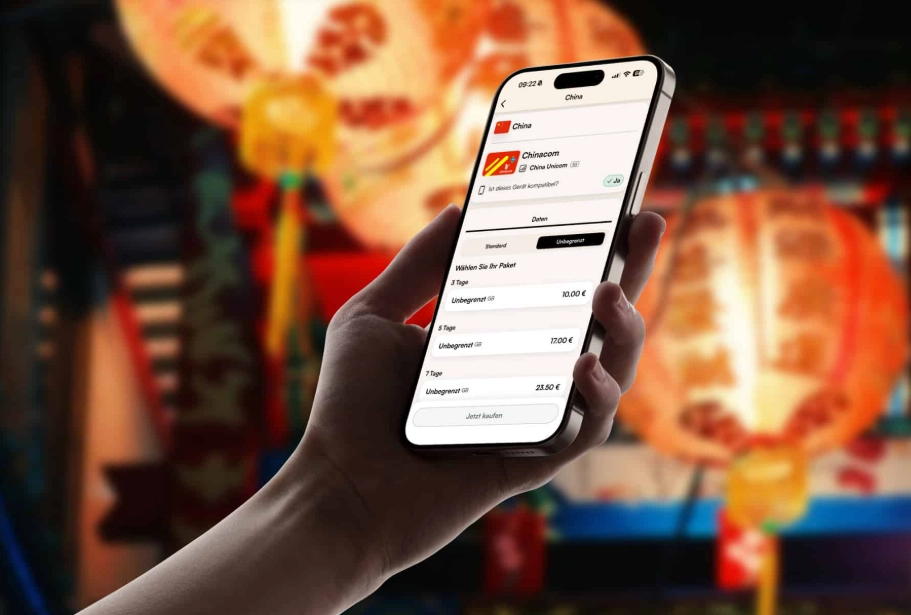
Also, keep in mind that some Chinese apps intentionally block foreign IPs. For example, the Alipay app might refuse to work if it detects a non-Chinese IP. In that case, switch temporarily to your home SIM's data (if you have roaming) or turn off the Airalo eSIM. This happens rarely but it's annoying.
Airalo vs Local SIM: Which is Better?
Let's be honest: local SIM cards are cheaper. You can get 20 GB for around $10 from China Unicom. But the process is a nightmare for foreigners. You need to visit a brick-and-mortar store with your passport, fill out forms in Chinese, and wait 20-30 minutes. Some stores refuse to sell to tourists. Plus, you'll need a VPN to access blocked sites.
Airalo is more expensive per GB but saves you the hassle. It's also convenient if you're visiting multiple countries — you can activate eSIMs for each destination from the same app.
My verdict: If your trip is under two weeks and you value convenience and instant internet upon arrival, go with Airalo. If you're staying a month or longer and don't mind the registration headache, a local SIM with a VPN is better value.
Common Problems and How to Solve Them
eSIM not activating after installation
This usually happens because your phone is locked to a carrier (e.g., a US carrier-locked iPhone). Airalo eSIMs only work on unlocked devices. Check with your carrier before buying. Also, some Android phones from China may not support eSIM at all.
No signal after landing
First, enable data roaming for that line. Then, manually select a network: in Settings, under Cellular, tap Network Selection, turn off Automatic, and choose China Mobile or China Unicom. One of them should connect.
Slow speeds or connection drops
Try switching between 4G and 3G via settings. Sometimes the Airalo proxy server is overloaded. Changing your phone's APN to the default (airalo data) can help. Go to Settings > Cellular > APN and enter "airalo" for the APN field if it's blank.
Can't top up your plan in China
Due to restrictions, you cannot purchase a new Airalo plan or top up while physically in China because the app uses Google services. Buy and install your plan before arriving. If you run out of data, ask a hotel staffer to hotspot you to a VPN connection so you can re-enter the app.
Frequently Asked Questions about Airalo eSIM China
Verified and fact-checked by the editorial team.








As someone who works remotely, reliable data is a must. I tested this eSIM in Shenzhen, Xi'an, and a tiny village near Yangshuo—everywhere it performed flawlessly. Speeds were consistently above 20 Mbps, and I was able to join Zoom calls without glitches. The installation guide is crystal clear too. Five stars, no hesitation.
Absolutely worth every penny. I was nervous about internet restrictions in China, but Airalo's eSIM worked perfectly with all the apps I needed—Google Maps, WhatsApp, Instagram. Customer support via chat was also super responsive when I had a quick question about APN settings. Will definitely buy again for my next trip.
This eSIM saved my trip! Landed in Guangzhou, scanned the QR code, and was online in under 3 minutes. Used it for 10 days across four cities—never lost signal even on high-speed trains. Also, the ability to keep my home number active via Wi-Fi calling was a huge plus. Cannot recommend enough for hassle-free connectivity in China.
Pretty solid overall. I bought the 7-day plan for Beijing and it worked flawlessly in the city. My only complaint is that the app could be more intuitive—I spent almost 20 minutes trying to figure out how to top up. Once connected, though, I had zero issues with WeChat, maps, or streaming. Good value for a short trip.
Used this eSIM for a two-week trip across Shanghai and Chengdu. Activation was smooth, but I had a few spots in rural Sichuan where the data just dropped out completely for 10-15 minutes. Not a dealbreaker, but for the price I expected more consistent coverage. Three stars because when it worked it was fast, but the dead zones were frustrating.
Perfect for a budget traveler like me! No need to queue at a kiosk, just download and go. I had coverage in over a dozen cities from Chengdu to Guangzhou. Never had a major drop. The 7-day plan gave me exactly what I needed for my trip. Will use again next time.
Worked well for my 10-day work trip. Installation instructions were clear, and I appreciated not having to swap out my home SIM. Speeds were fine for emails, video calls, and WeChat. Only gave 4 stars because the app could use a more user-friendly dashboard for checking remaining data.
First time using an eSIM and it couldn't have been smoother. Activated before my flight from Chicago, and as soon as I landed in Shanghai it connected automatically. Used maps, translation apps, and even streamed Spotify during long train rides without any buffering. Highly recommend for hassle-free connectivity.
Honestly, I was a bit disappointed. The price was decent but the data speeds were noticeably slower than my friend's local SIM. Coverage was okay in the city center, but once I went to a smaller town near Xi'an, the connection dropped frequently. Not terrible for the price, but I expected more reliability.
Used Airalo eSIM for a two-week trip across Beijing and Shanghai. Setup was super easy and the connection was stable in most urban areas. Only once did I lose signal in a subway tunnel, but it came back quickly. Definitely beats hunting for a physical SIM at the airport.