 Peng Gao
Late again. Wrong platform. Missed my train. That was my first week guiding tourists in China—until I discovered Trip.com's China trains booking system. Now I use Trip.com China trains for every group. No more lost tickets, no more frantic last-minute grabs. Here's the truth: Trip.com is the most foreigner-friendly platform for China train tickets—if you know these tricks.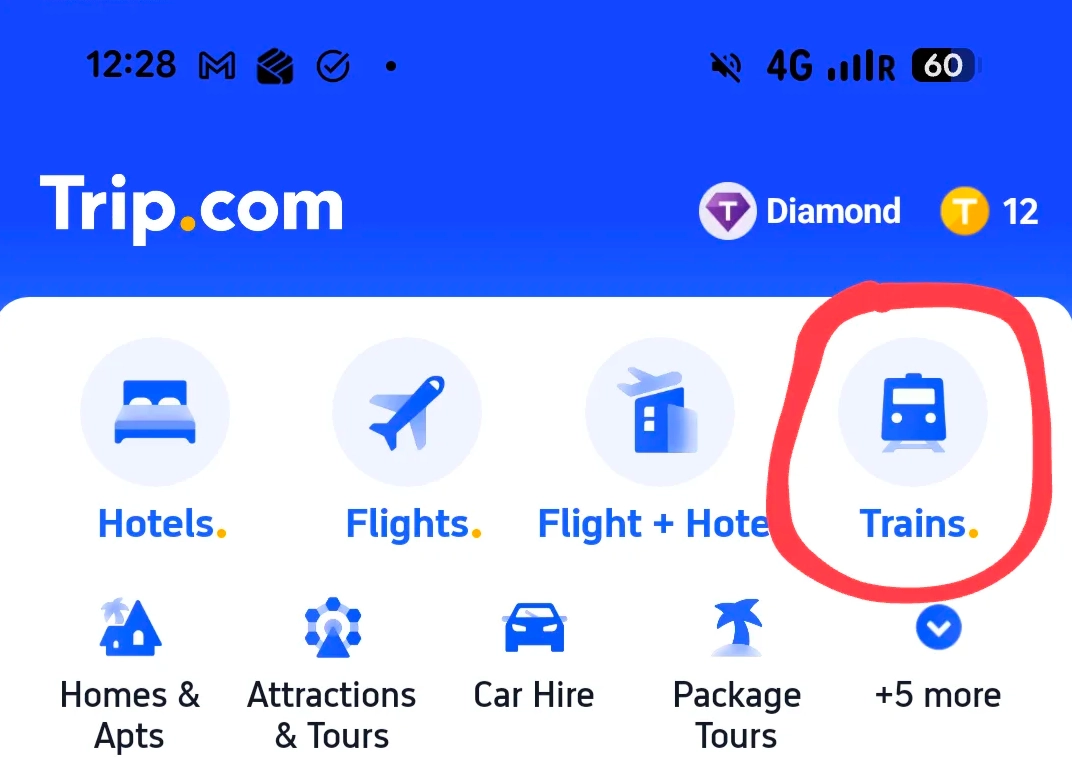
Why Trip.com Beats 12306 for Foreigners
Let's face it: China's official railway site 12306 is a nightmare for anyone not fluent in Chinese. The English version barely works, and the WeChat mini-program? Forget it—it's all in Chinese, and it can't accept international credit cards. Trip.com, on the other hand, has a full English interface, accepts Visa and Mastercard, and lets you book with your passport number. No VPN required, no hidden fees.
But wait—there's a catch. Trip.com charges a small service fee (usually $2 – $5 per ticket). That's the price you pay for convenience. Is it worth it? Absolutely. Here's a quick comparison:
| Feature | Trip.com | 12306 | WeChat (mini-program) |
|---|---|---|---|
| English interface | Yes | Limited English | No |
| Accepts international cards | Yes (Visa, MC, Amex) | No (only Chinese bank cards) | No (only WeChat Pay) |
| Passport registration | Auto, with photo upload | Manual, requires Chinese verification | Manual, Chinese only |
| Customer support in English | 24/7 live chat | None | None |
| Service fee | Yes ($2–$5) | No | No (coupon possible) |
See the pattern? Trip.com is the only platform that doesn't make you jump through hoops. I've booked hundreds of tickets through them—only once had a minor glitch (a seat number display issue), and their support fixed it in minutes.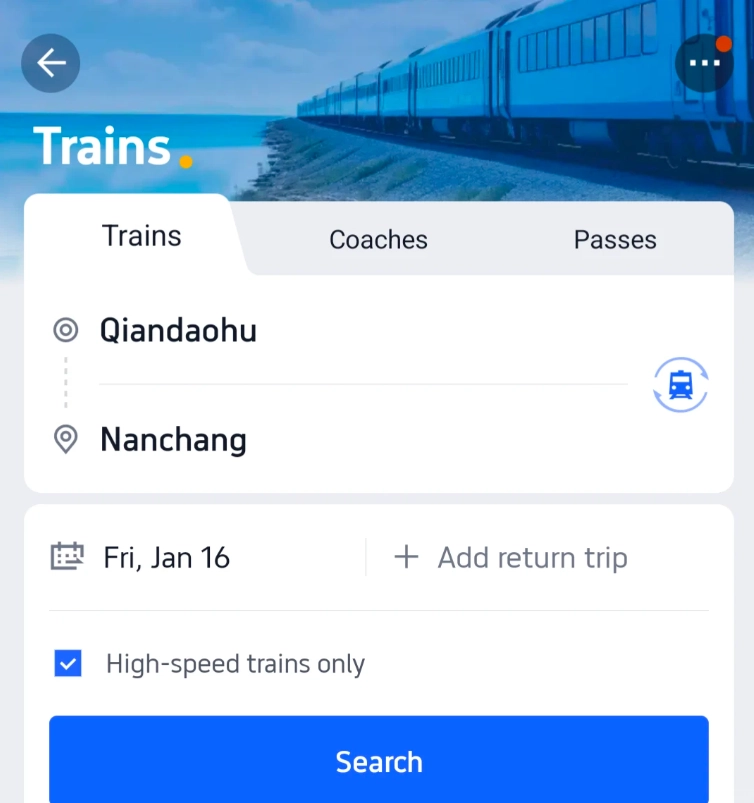
Step-by-Step: How to Book on Trip.com
Alright, let's walk through the actual booking flow. I'll assume you have the app installed (or use the website—both work the same).
1. Create an Account
Open Trip.com, switch to trains. You'll need to register with an email or phone number. Pro tip: use your home country number if you don't have a Chinese SIM—they'll send the verification code via email anyway. No Chinese number required.
2. Enter Your Route and Date
Type in departure and arrival cities. For popular routes like Beijing–Shanghai, there are dozens of trains daily. The search results show departure times, duration, seat classes, and price. Note: Chinese trains are punctual to the minute—I've never seen a delay longer than 5 minutes.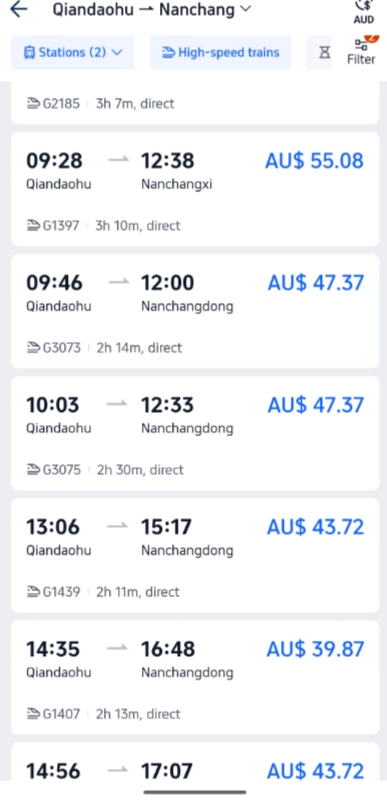
3. Add Passengers
Here's the part that trips up most foreigners: you need to enter exact passport details. Name exactly as on passport, passport number, nationality, and date of birth. Double-check everything. One typo and your ticket won't be valid. Also, you must upload a photo of your passport—the system stores it for future bookings, so you only do this once.
4. Choose Your Seat
You have options: Second Class (most common, 5 seats per row), First Class (2+2 leather seats), Business Class (2+1, fully reclining, comes with a meal). I always recommend First Class on routes over 3 hours—more legroom, less noise. For overnight trains, go for a soft sleeper (4 bunks per compartment, door closes). Avoid hard sleepers unless you're very budget-conscious—they're open compartments with 6 bunks, and snorers are guaranteed.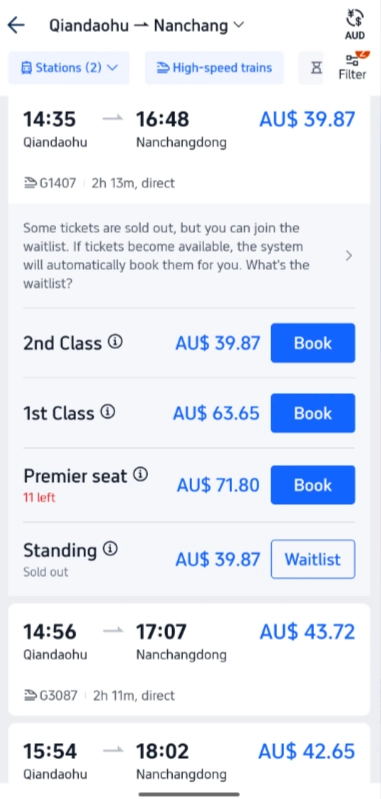
5. Payment
Trip.com accepts Visa, Mastercard, Amex, and even PayPal. I've never had a card declined. But here's a secret: if you use Alipay (which you should set up anyway), you avoid the slight foreign transaction fee your bank might charge. However, Alipay requires a Chinese bank account or a foreign card linked. For most, credit card is easiest.
Once paid, you get an e-ticket. Show the QR code on your phone at the station gate. No need to print—though I always print a backup because phone batteries die.
Payment Hacks: What Works and What Doesn't
Foreigners often panic about payment. Let me demystify: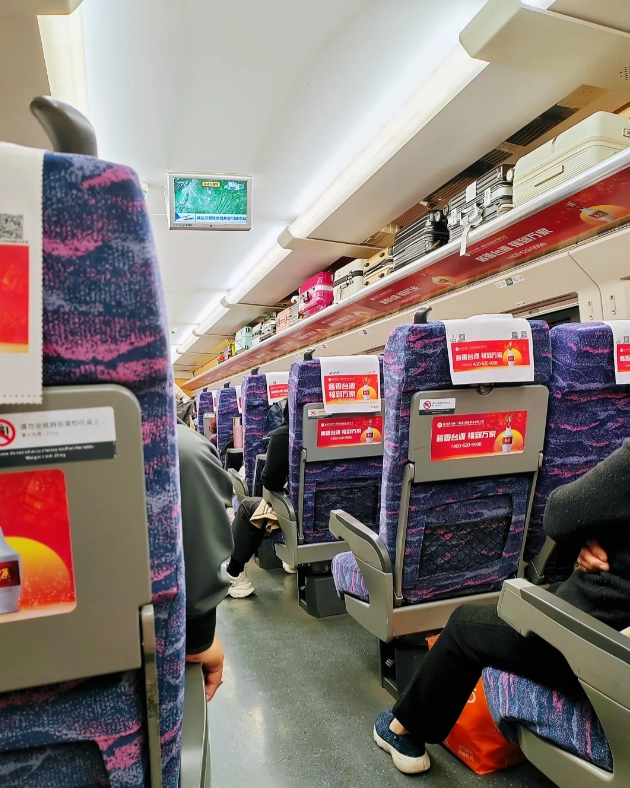
- International credit cards: Work perfectly on Trip.com. Don't work on 12306.
- Alipay (with international card linked): Works on Trip.com if you link a Visa/MC. But you'll need to verify with passport—takes an hour to set up.
- WeChat Pay (linked to foreign card): Same as Alipay, but WeChat's train mini-program is a mess for foreigners. Skip it.
- Cash: Trip.com doesn't accept cash. If you must pay cash, book through a travel agency or at a train station counter—but the station staff may not speak English.
Changing or Canceling Your Ticket
Plans change. Here's how Trip.com handles it: you can cancel or change online up to 30 minutes before departure. Cancellations incur a fee (5%–20% of ticket price, depending on timing). Changes are usually free if you upgrade, or you pay the price difference.
I once had a group miss their train due to a traffic jam—Trip.com allowed us to change to the next train for a small fee (about $3 per person), and we kept the same seat class. Much easier than dealing with station ticket windows where you'd need a Chinese speaker.
One caveat: if you cancel a ticket bought on Trip.com, the refund goes back to your original payment method. Takes 3–7 business days. International cards sometimes take longer—so keep your receipts.
Insider Tips to Save Money and Time
After years of booking for clients, I've picked up a few tricks:
- Book at least 14 days in advance. High-speed trains sell out fast, especially during Chinese holidays (Spring Festival, National Day). Trip.com shows real-time seat availability—if it says "few left," buy immediately.
- Use the "flexible date" feature. Trip.com shows prices for three days around your chosen date. You can save up to 30% by shifting by one day.
- Compare ticket classes. Sometimes Business Class is only $10 more than First Class on short routes—worth it for the quiet car and meal.
- Don't overpay with "premium" services. Trip.com offers add-ons like lounge access or priority boarding. They're rarely worth it—Chinese train stations are efficient, and lounges are crowded.
- Download the Trip.com app before you arrive. The app has a train schedule feature that works offline (if you load it beforehand). Handy when you're in a subway without data.







What a relief to find this! I'd heard horror stories of people paying double or losing money, but this article cut through the noise. Used the recommended booking path and it was fast, secure, and even had English support. The part about verifying the official app icon was a simple but brilliant tip. Absolutely 5 stars.
This article saved my trip! I was panicking about getting scammed on some third‑party site, but following the instructions here I booked my ticket from Beijing to Xi'an in literally two minutes. The warning about the fake customer service numbers was gold. 5 stars — should be mandatory reading for anyone visiting China.
Decent read but a bit too basic if you've ever booked a train in China before. I followed the tips and got my ticket fine, but the 'avoid scams' part felt repetitive. Also didn't mention that some foreign credit cards still get rejected — had to use Alipay. Not bad, just not the comprehensive guide I hoped for.
Honestly, this article is a lifesaver. I booked my Shanghai-Beijing high-speed train in under 3 minutes with no issues. The comparison of fake vs real platforms was eye-opening. Only gave 4 stars because I wish there were more screenshots for the mobile booking flow, but overall solid.
Finally a guide that tells you exactly how to dodge those fake booking sites! I almost fell for one last month, but after reading this I felt way more confident. The step-by-step on using Trip.com's official app was super clear. Saved me both time and stress. Highly recommend for any first-time China train traveler.
I expected more hands-on tips for navigating the station itself (like where to find the self-service machines). The article focuses too much on the booking part and skips the physical experience. Also, the 'faster' claim didn't hold for me — my payment confirmation took 10 minutes. Not terrible, but not exactly faster than other apps. Would be a 3 for me.
The guide was helpful overall, but I found a couple of outdated screenshots (the app updated recently). Also, the tip about 'booking 14 days in advance' isn't always true for certain routes during holidays. Still, it got me through my first booking without getting ripped off, so it's okay. Just needs a refresh.
I've been traveling China for three months and have booked about a dozen trains through Trip.com following this guide. It works flawlessly every time. The 'avoid scams' section is gold — I showed it to a fellow traveler who almost got scammed at a kiosk. No issues, no hidden fees, and the English support is responsive. Couldn't ask for more.
Honestly, I was skeptical at first because there are so many misleading blogs out there. But this article is actually thorough and accurate. The comparison of official vs. reseller pricing helped me save about 20% on my last-minute ticket. My only tiny complaint is that the app interface could be a bit more intuitive for foreigners, but the content itself is solid 5-star material.
I used this guide before booking my high-speed train from Beijing to Shanghai. The step-by-step tips on avoiding third-party scam sites were exactly what I needed. Saved me from a fake ticket website that looked legit. Booked directly via Trip.com in under 3 minutes. Highly recommend for anyone new to China’s rail system.