 Lei Li
Quick Jump
First time in China? You're about to land, and your phone shows zero signal. That sinking feeling—I've seen it on dozens of travelers' faces at Beijing Capital Airport. The good news? Activating an eSIM before you leave home is the single smartest move you can make. No hunting for SIM card vending machines, no fumbling with tiny trays. Here's my no-nonsense guide to getting online the instant you step off the plane.
What's an eSIM and Why You Need It in China
An eSIM is a digital SIM that lets you activate a cellular plan without a physical card. Most modern phones support it—iPhones from XR onward, Google Pixels, Samsung Galaxy S20 and newer. In China, the internet is heavily filtered (think: no Google, no Instagram, no WhatsApp), and your home carrier's roaming might be painfully slow or expensive. A local eSIM gives you a Chinese number (optional) and fast data that tunnels through the Great Firewall—meaning you'll access the global internet with a VPN pre-configured by the provider.
Here's the catch: Not all eSIMs sold overseas work flawlessly in China. Some providers don't include a VPN, leaving you stuck behind the firewall. I always recommend providers that bundle VPN access—more on that below.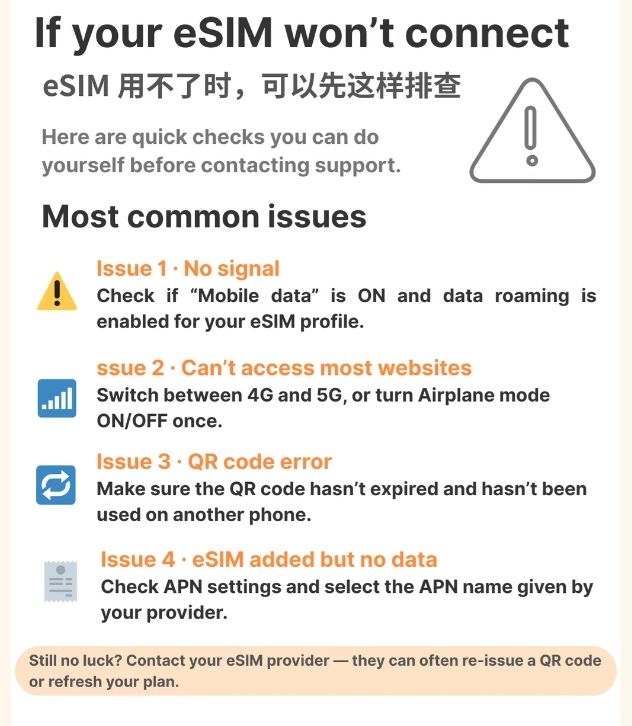
Before You Activate: Check Compatibility
Before you buy anything, confirm your phone is unlocked and eSIM-compatible. Go to Settings > Cellular > Add Cellular Plan. If you see a scan option, you're good. Also, make sure your phone isn't carrier-locked. I've had guests who bought a locked phone from AT&T or Verizon—those won't accept a foreign eSIM.
Another thing: China operates on different frequency bands. Budget-friendly eSIM providers often use China Mobile or China Unicom networks, which have excellent coverage in cities but may be patchy in remote areas (like parts of the Great Wall). If you're heading off the beaten path, choose a provider that roams on China Telecom as well.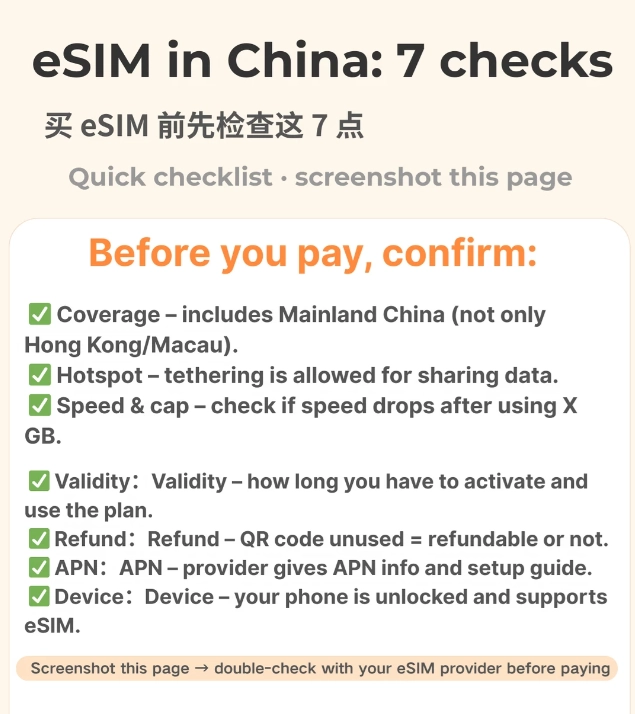
Step-by-Step Activation
I've tested this process with three different providers on both iPhone and Android. Here's the universal flow that works:
- Buy a plan online: Go to your chosen provider's website or app. Select a China data plan (e.g., 5GB for 7 days). Pay with a credit card—most accept Visa/Mastercard.
- Receive the eSIM QR code via email. Save it to your phone or print a copy. Some providers send a manual activation code instead.
- Install the eSIM: On iPhone: Settings > Cellular > Add Cellular Plan > Scan QR code. On Android: Settings > Network & Internet > Mobile Network > Add Carrier > Scan QR. Name the new plan something like "China Travel."
- Set as default for data (optional): If you want to keep your home SIM active for calls, set the eSIM as the primary data line.
- Activate on arrival: Once your plane lands and you switch off airplane mode, the eSIM should connect to a local network within a few minutes. If not, go to Settings > Cellular > select your eSIM > Turn On This Line.
I always tell my clients: Don't panic if it doesn't connect immediately. Sometimes the network takes 5 minutes to register. If it still fails, manually select the network: Settings > Cellular > Network Selection > turn off Automatic > choose China Mobile.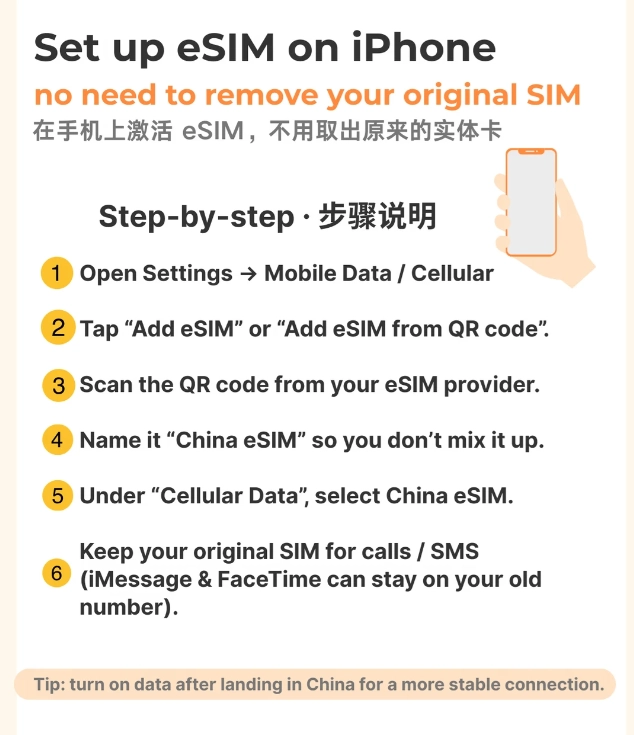
Best eSIM Providers for China
Not all eSIMs are created equal. I've narrowed down the ones that consistently work for travelers.
| Provider | Price (approx.) | Data per 7 days | VPN Included | Best For |
|---|---|---|---|---|
| Airalo | $5–$12 | 1–5 GB | No (use own VPN) | Budget travelers who already have a VPN |
| Holafly | $19–$34 | Unlimited data | Yes (built-in) | Heavy data users; worry-free |
| Nomad | $8–$30 | 1–10 GB | No (use own VPN) | Flexible plans with top-ups |
| Ubigi | $14–$28 | 3–10 GB | No (use own VPN) | Reliable coverage on China Unicom |
| Yesim | $10–$25 | 3–10 GB | Yes (built-in) | eSIM with a local phone number option |
My personal favorite: Holafly's unlimited plan with built-in VPN. It costs a bit more, but you never worry about running out of data or configuring a separate VPN. For a 10-day trip, I'd grab the 15-day unlimited version. One caveat: Holafly uses China Unicom, which is fast in cities like Shanghai and Beijing but slower in rural areas. If you're mostly urban, it's perfect.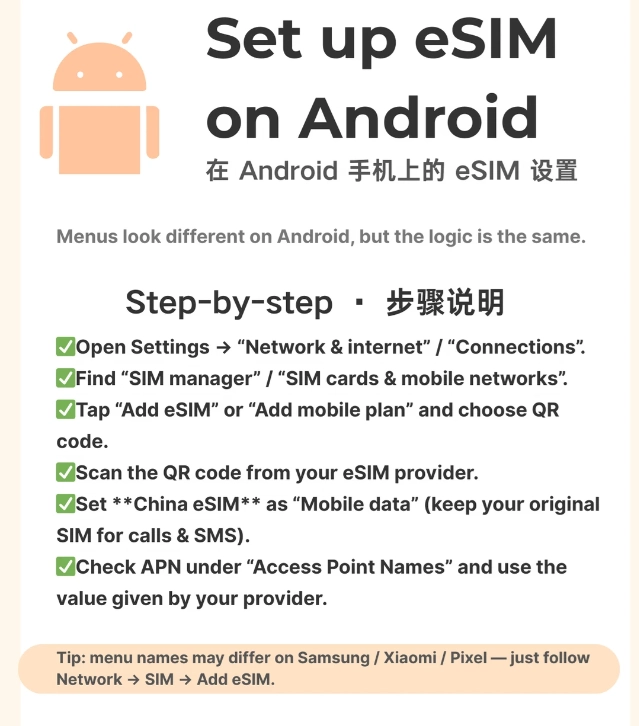
Frequently Asked Questions
Verified and fact-checked by the editorial team.







No comments yet.